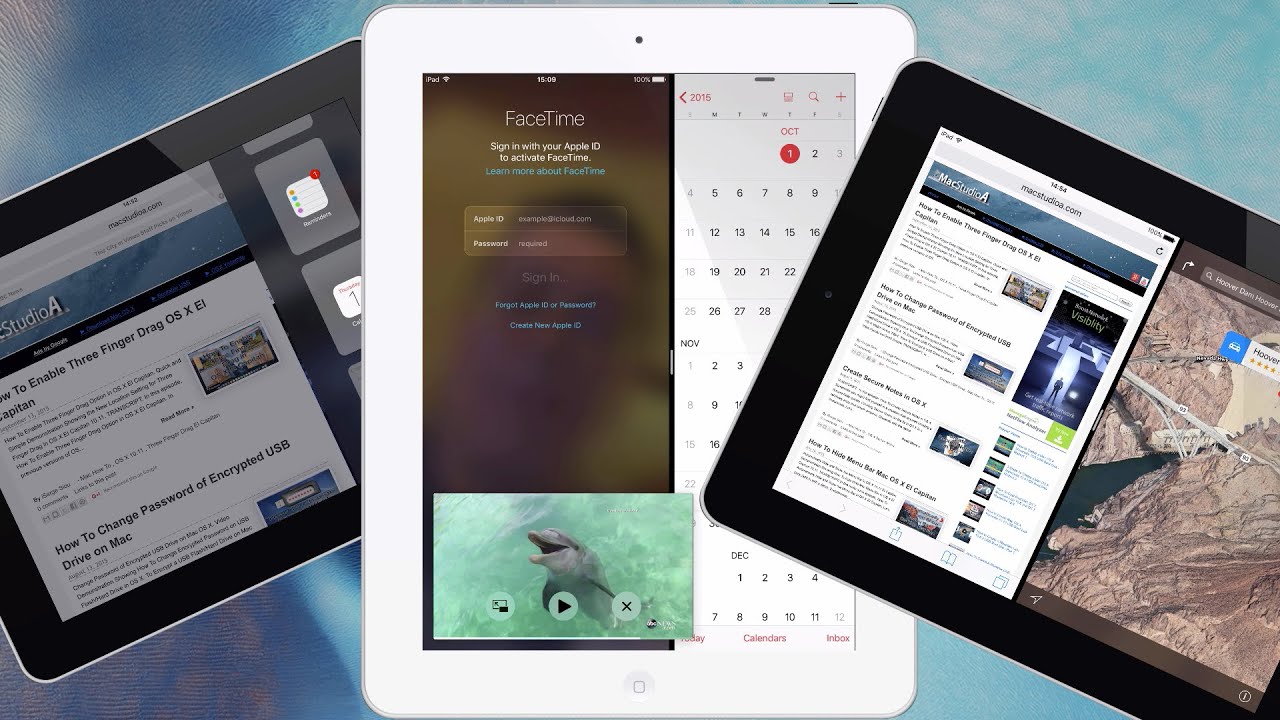
How To Use iOS 9 Slide Over, Split View and Picture-in-Picture (PiP) on iPad. Demonstration Showing iOS 9 New Multitasking Features on iPad. All New iOS 9 Multitasking Features Available For iPad Air, iPad Air 2, iPad mini 2, iPad mini 3, iPad mini 4 and upcoming iPad Pro. SUBSCRIBE For More Videos Like This:http://goo.gl/88PNgx Performed and Tested On iPad Air 2 and Using iOS 9.0.2 TRANSCRIPT: /2015/10/ios-9-new-multitasking-features-on-ipad.html In this episode, iOS 9 New Multitasking Features on iPad. Let’s jump right in with a demo. Soooooooo, Let's Get Started. While currently using an app, you are able to temporarily open another app with what’s know as Slide Over. With just a single finger swipe from roughly the middle right edge of your screen, towards the center, you are able to quickly check your calendar, response to a text message or even jot down something in Notes, without having to leave the app you’re currently using. To open another app, scroll-down from the top, as shown here. When finished, simply slide the app away. Alternatively, while in Slide Over mode, perhaps you would rather work on two apps at the same time. Just tap on the small divider bar shown here, to activate Split View or tap again to get back to Slide Over mode. When Split View is active, any apps opened on the right side of screen, is pinned to the edge of the screen. Clicking on a link from say Notes, opens Safari automatically on the left side of screen as shown. Open another app on the left side of screen by either using one of the following methods, four finger gesture, double tapping the Home button for task switcher or tap the home button once. Resize the apps to a 50/50 view by sliding the divider bar towards the left or slide completely over to show the pinned app in full-screen. Finally, while using FaceTime or watching a video in full-screen, Picture-in-Picture or PiP, as it’s commonly known, can be activated in one of three-ways. By tapping on the PiP icon shown here or by pressing the Home button once or by tapping on a notification received as shown. Open any app and PiP video continues to play. Scale the PiP window by using two finger pinch gesture, move it around to a desired location or off the screen by simply sliding it away and slide back when needed or completely close the PiP window by tapping on the X button shown here. In summary, Slide Over and Picture-in-Picture is available for the: iPad Air iPad Air 2 iPad mini 2 iPad mini 3 iPad mini 4 and upcoming iPad Pro. Split View is available on the iPad Air 2, iPad mini 4 and upcoming iPad Pro. And that’s all there is to it. Thanks for watching and thumbs-up, if you liked this video, and please, don't forget to click that Subscribe button, to be notified of the next episode. Thanks and Peace.
iOS 9 New Multitasking Features on iPad - YouTube |
| 13 Likes | 13 Dislikes |
| 1,393 views views | 5,549 followers |
| Science & Technology | Upload TimePublished on 2 Oct 2015 |

Không có nhận xét nào:
Đăng nhận xét