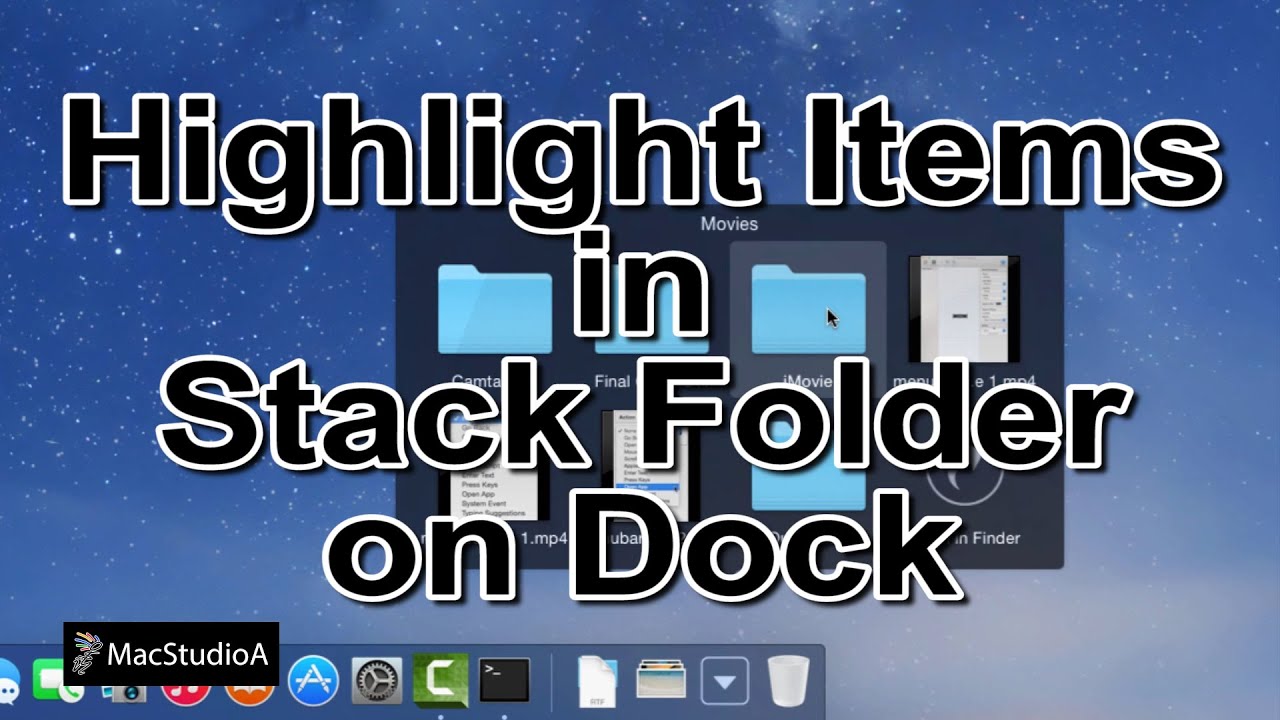
Highlight Items in Stack Folder on the Dock in OS X. Get a Better Feedback in Stack Folders by Highlighting Items that is Pointed At Using OS X. SUBSCRIBE For More Videos Like This:http://goo.gl/88PNgx My MAIN Camera: https://amzn.to/2OBWusS External Dummy Battery for Camera: https://amzn.to/2RLgNGr Backup Power Bank I use: https://amzn.to/2RLe8MX ND Filter I use: https://amzn.to/2OyY8eI The Camera Mic I use: https://amzn.to/2JRjK5s My Lapel Mic: https://amzn.to/2JSE4mQ Must have Gadget for Recording HDMI Output: https://amzn.to/2Dslv93 Get those crisp overhead shots with this tripod: https://amzn.to/2PIOcnV Versatile Super Tripod Clamp: https://amzn.to/2DvXPk2 Mini Tripod I use: https://amzn.to/2PNePrx My iPhone Tripod Mount: https://amzn.to/2DvD8Vh LED Spot Lighting I use: https://amzn.to/2JSDZjd LED Wide Angle Lighting: https://amzn.to/2Dvuu9w My Scenery LED Kit: https://amzn.to/2DtVjKZ My Storage Devices For Video Editing SSD: https://amzn.to/2PMRhTD USB 3.0 SSD External Enclosure I use: https://amzn.to/2DvDoUf USB 3.0 Flash Drive I use: https://amzn.to/2SXu4wU My High Speed Camera Card: https://amzn.to/2Fanhxe External Storage Drive I use USB Version: https://amzn.to/2JUlWta External Storage Drive Thunderbolt & USB Version: https://amzn.to/2RIZ82c Recommended Gear: RAID Thunderbolt 3 External Hard Drive: https://amzn.to/2POl2Ul 2TB Thunderbolt and USB 3.0 Portable Hard Drive: https://amzn.to/2DvLX1u 4TB USB-C and USB 3.0 Portable Hard Drive: https://amzn.to/2JRzF3N 5TB Rugged Thunderbolt / USB-C Mobile Drive: https://amzn.to/2PNfzwP Variable Friction Magic Arm: https://amzn.to/2qEhJ3S Rode VideoMic Pro Plus: https://amzn.to/2yZ1Tp0 Follow me on: http://instagram.com/sergesiou https://twitter.com/SergeSiou Performed and Tested On MacBook Air (Late 2013), Using OS X Yosemite 10.10.2 and OS X Mavericks 10.9.5 Apple's Intel Based Systems: Mac Mini iMac Mac Pro MacBook Air MacBook Pro TRANSCRIPT: /2015/04/highlight-items-in-stack-folder-on-dock.html In this episode, Highlight Items in Dock Stack Folder in OS X. Straight to the demo. Soooooo, Let’s Get Started. As shown, when pointing to an item in a Folder or Stack, on the Dock, using a mouse or Trackpad, there’s no clear indication as to what you are pointing at. For a better feedback, to highlight the item that you are pointing at, as shown here, is a relatively easy process. Open Terminal and enter the following two one line commands shown: defaults write com.apple.dock mouse-over-hilite-stack -bool Yes Followed by the following command to relaunch the Dock: killall Dock I’ll just switch to Dark Mode, where the highlighted items are more noticeable. To revert back, simply enter the same commands typed earlier, replacing Yes with No. defaults write com.apple.dock mouse-over-hilite-stack -bool No Followed by the same command to relaunch the Dock: killall Dock And that’s all there is to it. Thanks for watching and thumbs-up, if you liked this video, and please, don't forget to click the subscribe to be notified of the next episode. Thanks and Peace.
How To Highlight Items in Stack Folder on Dock in Mac OS X - YouTube |
| 10 Likes | 10 Dislikes |
| 562 views views | 5,549 followers |
| Science & Technology | Upload TimePublished on 4 Apr 2015 |

Không có nhận xét nào:
Đăng nhận xét